Got it working — running Claude Code on an iPad 11-inch using tmux + Tailscale + Moshi.
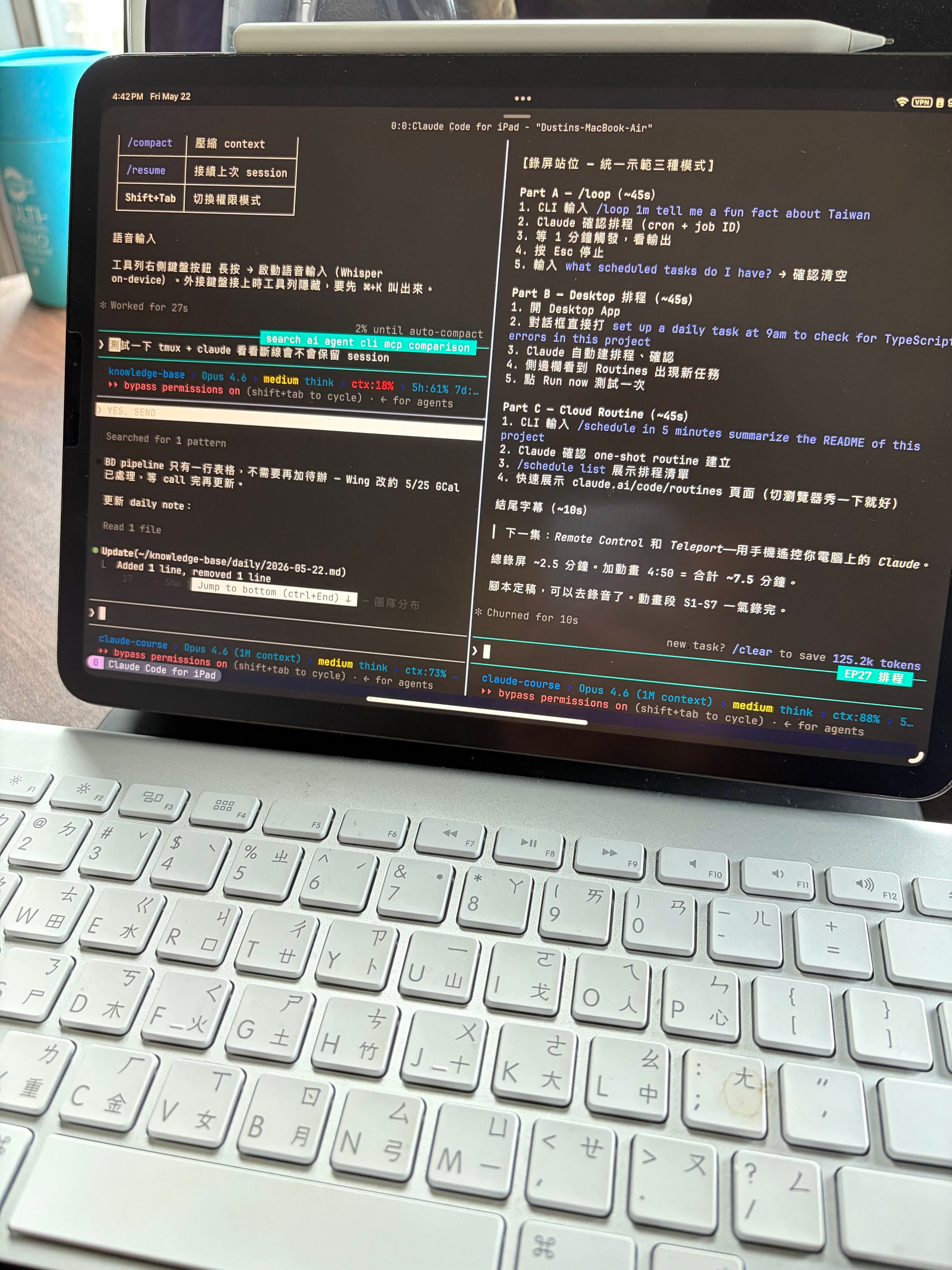
Why Not Remote Desktop?
I tried Jump Desktop, VNC, and various remote control solutions. None felt right. Remote desktop has noticeable latency, clunky interaction, and drains battery much faster than SSH.
My goal wasn’t to “see” the Mac screen on the iPad to fix a bug. It was to rebuild 90% of my productivity on the iPad. Most of my use cases are non-coding — writing documents, running agents, managing knowledge bases — no need to look at diffs.
The Three-Piece Combo
Tailscale — Zero-Config NAT Traversal
Tailscale creates a WireGuard mesh network. No matter what network the iPad and Mac Mini are on, they connect directly. No router config, no port forwarding, no dynamic DNS. Install it, log into the same account, done.
Moshi — CJK-Friendly SSH Terminal
I tried several SSH apps on iPad. Termius has a nice UI but its CJK rendering is buggy — Chinese characters display incorrectly. Blink Shell is an option too, but Moshi is the most stable for CJK support.
Moshi also uses UDP, which makes it more resilient on unstable networks (coffee shops, airports) compared to traditional SSH.
tmux — Sessions That Survive Disconnects
tmux keeps the session alive when SSH drops. Switch to another iPad app and come back, or survive a brief network interruption — just reconnect and you’re right where you left off. Essential for Claude Code’s long-running agent tasks.
Daily Workflow
- Open Moshi on iPad, connect to Mac Mini via Tailscale IP
tmux attachto resume the session- Run Claude Code inside tmux, work as normal
- Split tmux panes as needed — agent on one side, logs on the other
Battery consumption is significantly lower than remote desktop. The iPad lasts a full afternoon easily.
What’s Next
Testing Codex CLI and Cursor CLI support in this environment. Also waiting for the Mac Mini M4 Pro to arrive — that’ll bring more local compute power.
Fun fact: someone abroad figured out how to connect Claude Code from a Tesla’s infotainment system. The world never runs out of creative people.