On this page
I’ve recently had the chance to help some former colleagues and team members upgrade their workflows to work with AI. This got me thinking more intentionally about my own Claude Code habits.
I really dislike those self-proclaimed “AI experts” online who barely scratch the surface and then charge for courses. For me, since I know I only scratch the surface myself, sharing for free is the real joy.
Today I want to share: how to write clear initial prompts.
Tip 1: Know Your End Goal and Motivation First
You need to think clearly about your end goal and your motivation before typing anything.
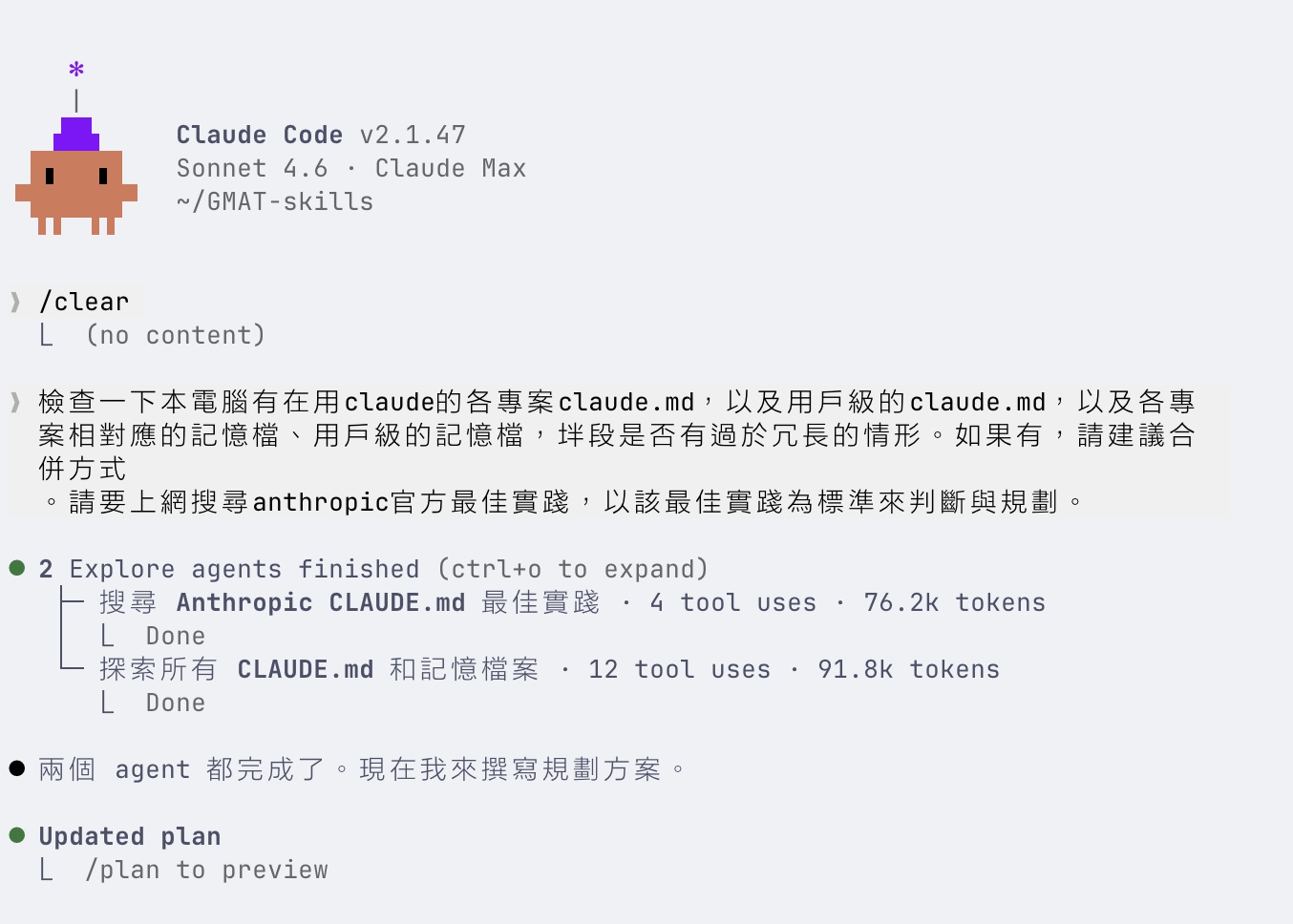
In my case, the goal was “refactor and clean up CLAUDE.md and memory files,” because I felt things had gotten a bit out of sync since my last cleanup — collaboration with Claude was starting to feel slightly off.
Many people open Claude Code and just throw out a random sentence. But if you don’t know what you want, how can the AI get it right? Spend 30 seconds thinking: what exactly am I trying to achieve, and why?
Tip 2: Imagine How You’d Do It Manually Without AI
Ask yourself: “If there were no AI, how would I do this by hand? What’s the process?”
For my task, I imagined: I’d first look up best practices for writing memory files and rules, then find all the rules and memory files on my machine to check if they match those best practices. That’s exactly how I wrote my prompt.
This mindset is crucial. You already know how to do the work — you’re just letting AI take over the execution. Translating your workflow into instructions is far more effective than trying to craft the perfect prompt from scratch.
Tip 3: Use Plan Mode When You’re Unsure
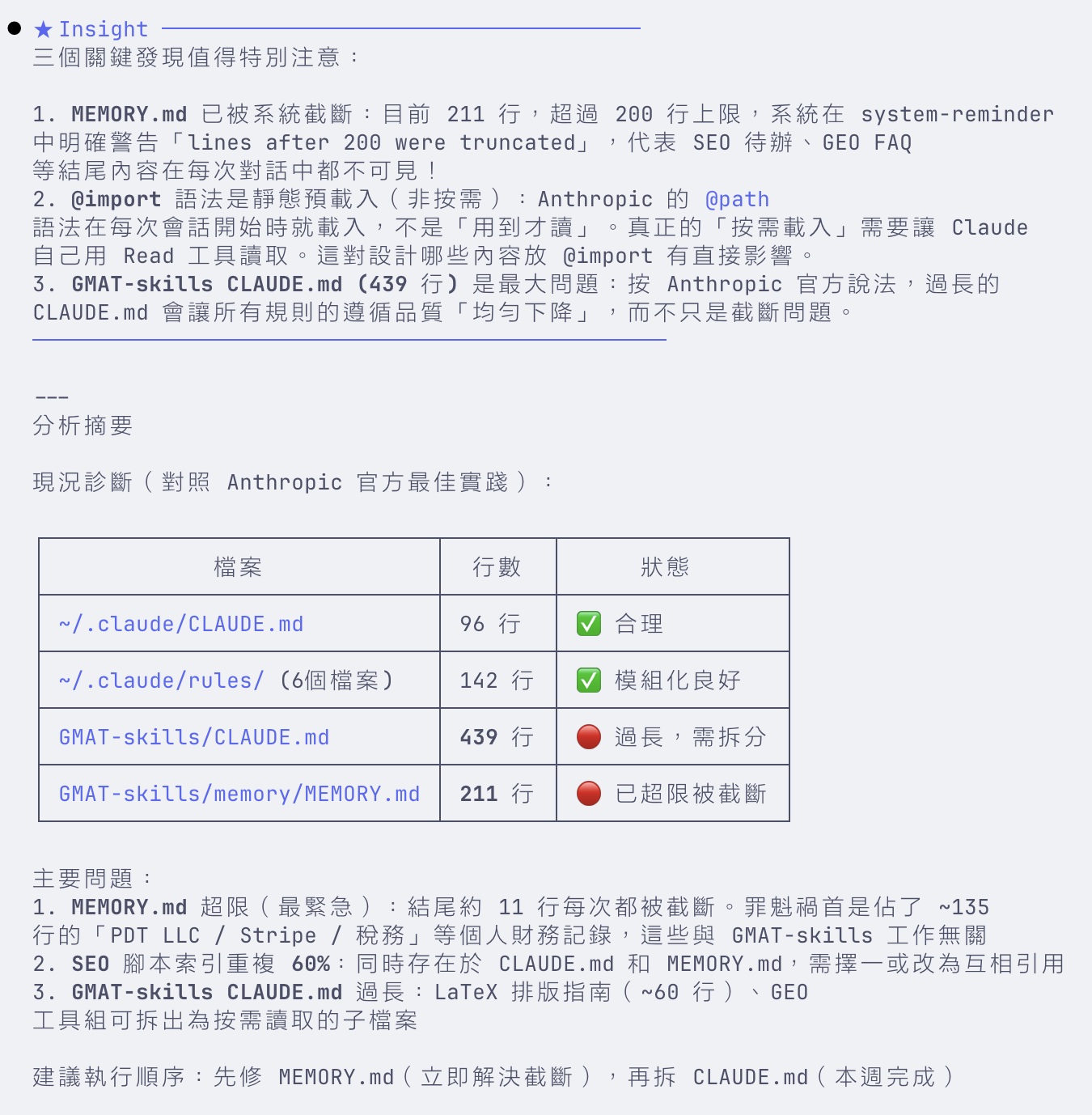
If you’re worried about missing details or overlooking something, start with plan mode. Plan mode will proactively ask you multiple-choice questions wherever things are unclear.
Plan mode is the feature I recommend most for Claude Code newcomers. It analyzes the current state, drafts a plan, and actively asks you about anything uncertain. You don’t need to have every detail figured out upfront — let the AI fill in the gaps.
Tip 4: Don’t Worry About Typos
Don’t worry about typos — unless your typo completely changes the meaning, just let it go. If you struggle to type out organized thoughts, voice input works fine too. Just talk. Don’t worry about filler words like “um” or “uh” — they barely cost you any tokens.
Claude Code’s language understanding is strong. Typos, casual speech, and voice input artifacts are no problem. Don’t let the pursuit of a “perfect prompt” paralyze you — just say it first and refine later.
Tip 5: Pick the Right Model for the Job
I usually recommend checking the official system card and introduction when a new model comes out, reading Reddit for user impressions, and most importantly, trying it yourself for two or three days. You’ll naturally learn which tasks you’re comfortable assigning to each model tier.
In this case, since it wasn’t complex code refactoring, I skipped Opus 4.6 and went with Sonnet 4.6, which is particularly good at documentation maintenance tasks. Pick the right model, and you save time, money, and get better results.
Tip 6: Read the Plan Carefully — Ask Questions, Request Changes
Read the plan carefully. If you don’t understand something, use option 4 to tell Claude “I don’t understand, rewrite it in simpler terms.” My habit is: if anything in the plan is unclear, I ask; if anything is unsatisfactory, I request changes. Then I bypass permissions and let it run while I go do things it can’t — like cleaning the house.
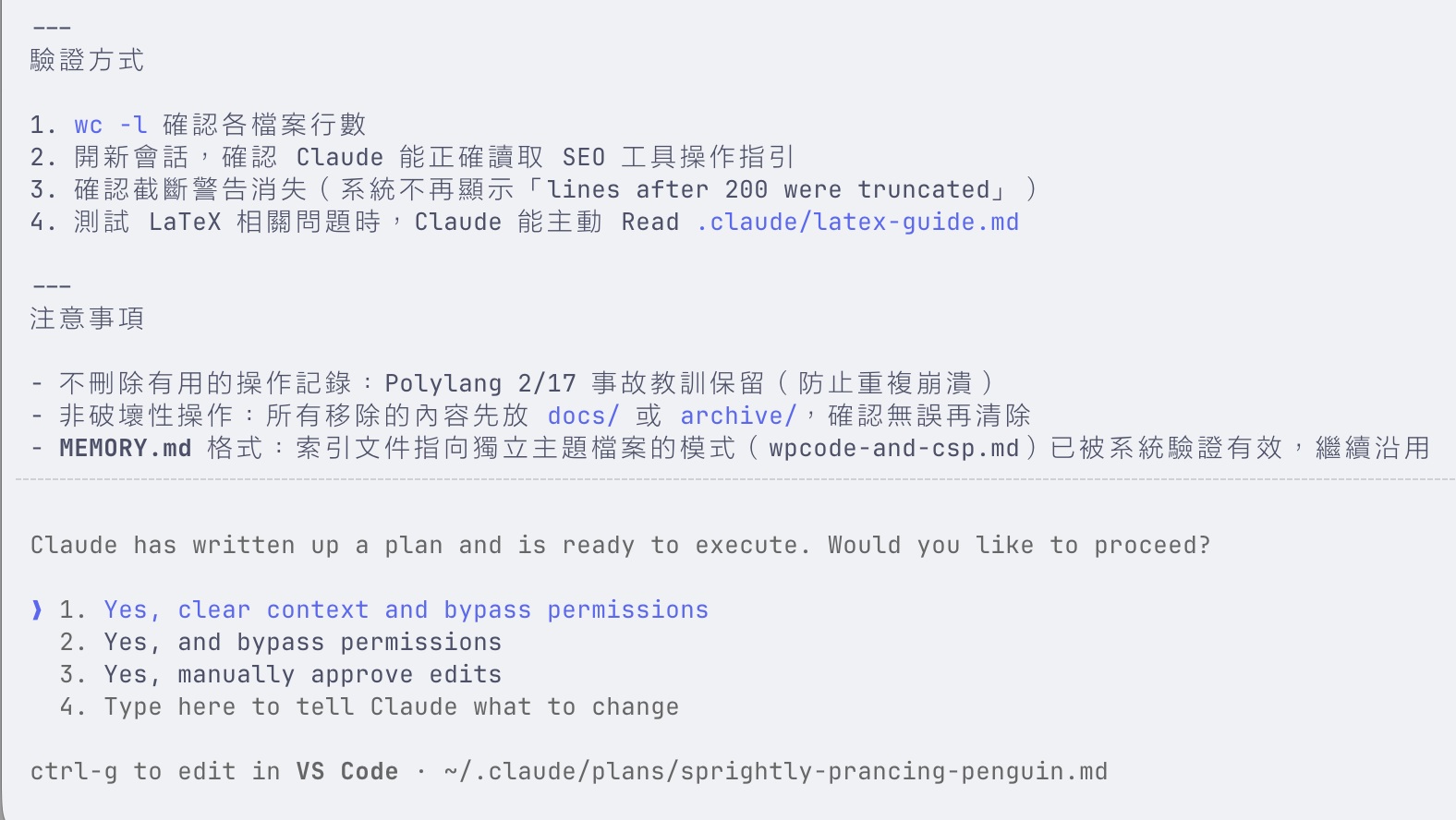
Just remember to maintain version control and backups as a safety net. If you don’t fully trust it, the step-by-step approval mode works great too.
That’s about it. I’ll share more when something comes to mind. No paid courses, no scams — just real, first-hand tips from the trenches.